React: Create a Counter
In this exercise you will use React to create a simple counter application. Your counter app should have: * A display for the current count * An increment button * A decrement button
Using events All JavaScript functions can use events as parameters. An event is an object that is created when a function is called. It is literally a JavaScript object that has a list of properties that can be used. You can see a list of event properties here: https://developer.
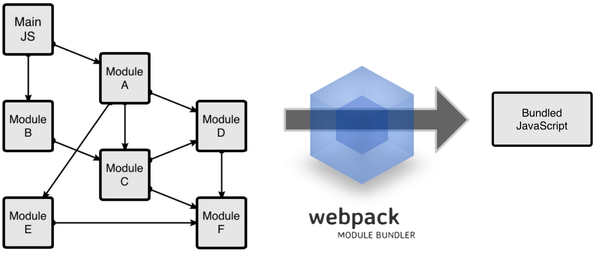
Configuring Webpack to transpile React code is simple. Once you know how to set up your basic webpack.config.js all you have to do is install a new babel preset! Install the react preset for babel by running: npm install --save babel-preset-react. Now, when you run webpack or webpack-dev-server
It's fairly standard practice these days when building a website to have some sort of build process in place to help carry out development tasks and prepare your files for a live environment. You may use task runners like Grunt or Gulp for this. These create a chain of steps
Create a function that takes two arrays and returns an array of the items that are unique. Given two arrays (for example array A = [1, 2, 3] and array B = [2, 3, 4]), find the set of elements which are in one of the two arrays, but not in both.